Ultimate Drone Calibration Guide: Boost Performance Fast
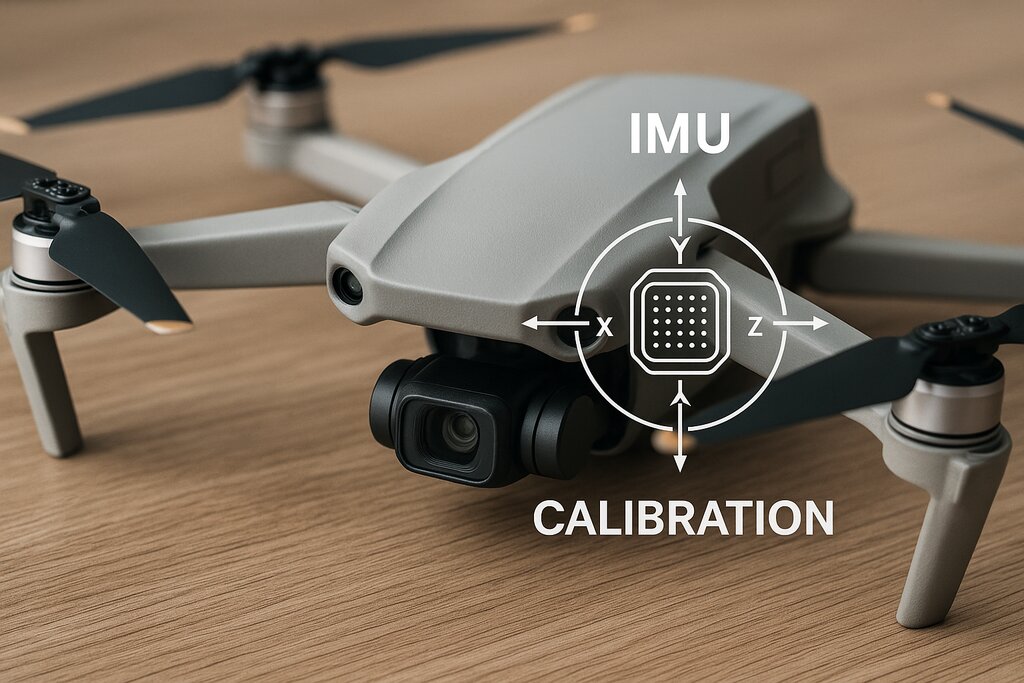
Drones have revolutionized the way we capture aerial footage and perform various tasks. However, to ensure that your drone operates at its best, regular calibration is essential. Proper calibration not only enhances performance but also ensures safety during flights. This guide will walk you through the essential steps to calibrate your drone, helping you to boost performance quickly and efficiently.
Understanding the Importance of Drone Calibration
Drone calibration is a crucial process that aligns all the sensors and components in your drone to perform optimally. Proper calibration ensures stability, accurate navigation, and the overall smooth operation of your drone. Without regular calibration, your drone might experience issues such as drifting, instability, and inaccurate readings, all of which can compromise its performance and safety.
Key Benefits of Calibration
- Enhanced Stability: Proper calibration ensures that your drone maintains stability during flight, which is crucial for capturing smooth footage and safe operation.
- Accurate Navigation: Calibrating the GPS and compass allows your drone to navigate accurately, reducing the chances of getting lost or deviating from its intended path.
- Extended Lifespan: Regular calibration can prevent wear and tear on components, leading to a longer lifespan for your drone.
- Improved Flight Performance: A well-calibrated drone responds better to controls and can perform complex maneuvers more efficiently.
Preparation for Calibration
Before you begin the calibration process, it’s important to prepare your drone and your environment to ensure the best results. Here are some preparatory steps:
Choose the Right Environment
- Open Space: Find an open area away from buildings, trees, and other obstacles that might interfere with the calibration process.
- Avoid Magnetic Interference: Stay clear of metal structures, power lines, or any sources of magnetic interference that might affect the compass calibration.
- Stable Surface: Place your drone on a level and stable surface to ensure accurate readings from its sensors.
Inspect Your Drone
- Check Batteries: Ensure that both the drone and controller batteries are fully charged to prevent interruptions during calibration.
- Inspect Propellers: Make sure that the propellers are in good condition and securely attached.
- Firmware Update: Check if there are any firmware updates available for your drone and update it accordingly.
Step-by-Step Drone Calibration Process
With your drone and environment prepared, you can now proceed with the calibration process. The following steps will guide you through calibrating various components of your drone.
Gyroscope Calibration
The gyroscope is crucial for maintaining stability during flight. Follow these steps to calibrate it:
- Power on your drone and place it on a flat, level surface.
- Access the settings menu on your controller or app.
- Select the option to calibrate the gyroscope.
- Follow the on-screen instructions, which might involve keeping the drone still for a few seconds.
- Once completed, the drone will confirm the calibration.
Compass Calibration
The compass is vital for navigation and orientation. Here’s how to calibrate it:
- Access the compass calibration option in your drone’s settings.
- Follow the instructions, which usually involve rotating the drone horizontally and vertically.
- Ensure that you perform this step in an area free from magnetic interference.
- Upon successful calibration, the drone will indicate that it’s ready for flight.
GPS Calibration
To ensure accurate positioning and navigation, calibrate the GPS as follows:
- Turn on the GPS mode in your drone’s settings.
- Allow the drone to acquire a strong GPS signal, which might take a few minutes.
- Once the GPS signal is strong, follow any additional instructions provided by the manufacturer.
- Verify that the GPS is functioning correctly by checking satellite connection and positioning accuracy.
Accelerometer Calibration
The accelerometer helps in measuring the drone’s movement and orientation. To calibrate it:
- Place the drone on a flat surface.
- Access the accelerometer calibration option in your settings.
- Follow the instructions, which might involve keeping the drone stationary for a short period.
- Wait for confirmation that the calibration is successful.
Troubleshooting Common Calibration Issues
During the calibration process, you might encounter some common issues. Here are a few troubleshooting tips:
Compass Calibration Errors
- Magnetic Interference: If you receive errors, try moving to a different location free from metal and magnetic sources.
- Restart Calibration: Sometimes, restarting the calibration process can resolve the issue.
GPS Signal Issues
- Wait for Better Signal: Ensure you’re in an open area and wait for a stronger GPS signal.
- Check Firmware: Ensure that your drone’s firmware is up-to-date, as updates often fix GPS-related issues.
Post-Calibration Checklist
After completing the calibration process, perform a few checks to ensure everything is functioning as expected:
- Test Flight: Conduct a short test flight to verify that the drone is stable and responsive.
- Review Navigation: Check the drone’s ability to hold its position and navigate accurately.
- Monitor Battery Performance: Ensure that the battery performance is consistent and the drone’s flight time is optimal.
Conclusion
Regular calibration is essential for maintaining the performance and safety of your drone. By following this ultimate drone calibration guide, you can ensure that your drone operates at its peak efficiency, providing you with stable, accurate, and enjoyable flights. Whether you’re a hobbyist or a professional, taking the time to calibrate your drone will pay off in the long run with better performance and a longer lifespan.
#ChatGPT assisted in the creation of this article.
Share this content:



Post Comment