Mastering Drone Flight Modes: A Comprehensive Guide
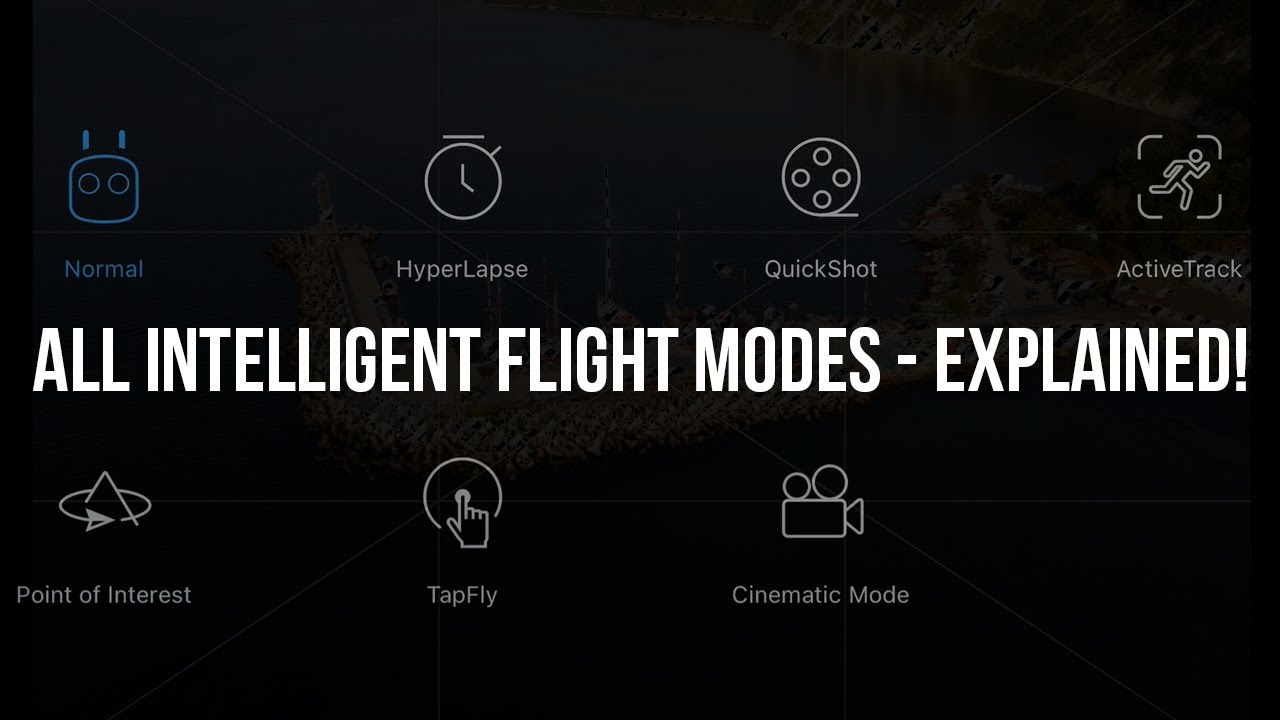
Drones have revolutionized the way we capture imagery, conduct surveys, and explore the world from above. As drone technology continues to advance, understanding the various flight modes available is crucial for maximizing their capabilities and ensuring safe operations. This comprehensive guide aims to help both beginners and seasoned pilots master drone flight modes, enhancing their flying experience and optimizing performance.
Understanding Drone Flight Modes
Drone flight modes are pre-programmed settings that adjust the drone’s behavior to suit different flying conditions and pilot preferences. These modes manage various aspects of flight, such as speed, stability, and maneuverability, allowing pilots to focus on capturing stunning footage or completing complex tasks. Here’s a look at some of the most common flight modes found in consumer and professional drones.
GPS Mode
GPS Mode, often the default setting for most drones, relies on satellite signals to stabilize and control the aircraft. This mode is ideal for beginners as it provides easy handling and accurate positioning, making it easier to hover, navigate, and return to the takeoff point. Key features include:
– **Stability:** GPS Mode offers enhanced stability, allowing the drone to maintain its position even in moderate winds.
– **Return-to-Home (RTH):** This feature ensures the drone safely returns to its original takeoff point in case of low battery or signal loss.
– **Waypoints:** Some drones equipped with GPS Mode allow pilots to set waypoints, enabling the drone to follow a pre-determined path autonomously.
Attitude (ATTI) Mode
Attitude Mode, often referred to as ATTI Mode, disables GPS stabilization, relying solely on the drone’s internal sensors for flight control. This mode is designed for intermediate to advanced pilots who seek more manual control. Features of ATTI Mode include:
– **Increased Responsiveness:** Without GPS stabilization, drones respond more quickly to pilot inputs, allowing for more precise control.
– **Manual Positioning:** Pilots must manually manage the drone’s position, compensating for external factors like wind drift.
– **Enhanced Creativity:** ATTI Mode enables smoother, cinematic shots as pilots have greater control over the drone’s movement and speed.
Sport Mode
Sport Mode is designed for thrill-seekers who want to experience the full speed and agility of their drone. This mode is ideal for capturing high-speed action shots or simply enjoying the exhilaration of fast-paced flying. Key characteristics include:
– **Increased Speed:** Drones in Sport Mode can reach their maximum speed, perfect for racing or dynamic filming.
– **Agility:** The drone’s responsiveness is heightened, allowing for rapid direction changes and quick maneuvers.
– **Reduced Stability:** Pilots must be cautious as Sport Mode removes some stabilization features, requiring more skill to maintain control.
Cinematic Mode
Cinematic Mode is tailored for filmmakers and photographers aiming for smooth, professional-looking footage. This mode prioritizes stability and fluidity over speed, making it perfect for capturing cinematic shots. Features include:
– **Smooth Movements:** The drone’s speed and acceleration are reduced, providing gentle transitions and steady footage.
– **Precision Control:** Pilots have fine-tuned control over the drone’s movements, allowing for seamless camera work.
– **Stable Hovering:** Enhanced stability ensures the drone maintains a steady position, even during complex shots.
Headless Mode
Headless Mode simplifies drone orientation, making it easier for beginners to control the aircraft. In this mode, the drone’s direction is relative to the pilot, not its nose. This means that forward remains forward from the pilot’s perspective, regardless of the drone’s orientation. Benefits include:
– **Simplified Controls:** Pilots can easily navigate the drone without worrying about its orientation.
– **Beginner-Friendly:** Ideal for new pilots still learning the basics of drone control.
– **Reduced Confusion:** Minimizes the chance of disorientation, especially when the drone is far away or difficult to see.
Follow Me Mode
Follow Me Mode is perfect for capturing dynamic, hands-free footage of moving subjects. In this mode, the drone autonomously follows the pilot or a designated subject, maintaining a set distance and altitude. Key features include:
– **Automatic Tracking:** The drone uses GPS or visual tracking to follow the subject, allowing for hands-free operation.
– **Consistent Framing:** The drone maintains a steady perspective on the subject, ideal for action shots or adventure filming.
– **Customizable Settings:** Pilots can adjust the following distance and height to achieve the desired shot.
Waypoint Mode
Waypoint Mode allows pilots to pre-program a flight path using GPS coordinates. The drone then follows this path autonomously, making it ideal for surveying, mapping, or capturing complex sequences. Features include:
– **Automated Flight Paths:** Pilots can plan intricate routes for the drone to follow, ensuring precise coverage of areas.
– **Consistent Results:** Waypoint Mode ensures consistent angles and perspectives, useful for repetitive tasks like inspections.
– **Hands-Free Operation:** Once the waypoints are set, the drone flies the route independently, freeing the pilot for other tasks.
Tips for Mastering Drone Flight Modes
Mastering drone flight modes requires practice, patience, and an understanding of how each mode affects the drone’s behavior. Here are some tips to help you become proficient in using different flight modes:
Start with GPS Mode
For beginners, GPS Mode is the safest and easiest way to start. It provides stability and automated features that allow you to focus on learning the basics of drone control without worrying about maintaining altitude or position manually.
Practice in Open Areas
When experimenting with different flight modes, especially those that require manual control like ATTI Mode or Sport Mode, practice in open, obstacle-free areas. This reduces the risk of collisions and gives you ample space to maneuver.
Gradually Transition to Advanced Modes
Once you’re comfortable with basic controls, try transitioning to more advanced modes like ATTI or Sport. Take small steps, gradually increasing the complexity of your maneuvers to build confidence and skill.
Use Simulators
Flight simulators are excellent tools for practicing different modes without risking damage to your drone. Many drone manufacturers offer simulators that replicate real-world flying conditions, allowing you to hone your skills in a safe environment.
Adjust Sensitivity Settings
Most drones allow you to adjust the sensitivity of controls, which can be particularly useful in modes like Sport or ATTI. Tailoring these settings to your comfort level can improve your control and precision during flight.
Stay Informed and Updated
Drone technology is constantly evolving, and manufacturers frequently release updates that enhance functionality and introduce new features. Stay informed by reading manuals, participating in online forums, and keeping your drone’s firmware up to date.
Conclusion
Mastering drone flight modes is an essential step in becoming a skilled drone pilot. By understanding the unique characteristics and applications of each mode, you can enhance your flying experience and capture breathtaking footage. Whether you’re a beginner or an experienced pilot, embracing these modes will open new possibilities and elevate your drone adventures.
Share this content:



Post Comment