Essential Drone Videography Tips for Stunning Shots
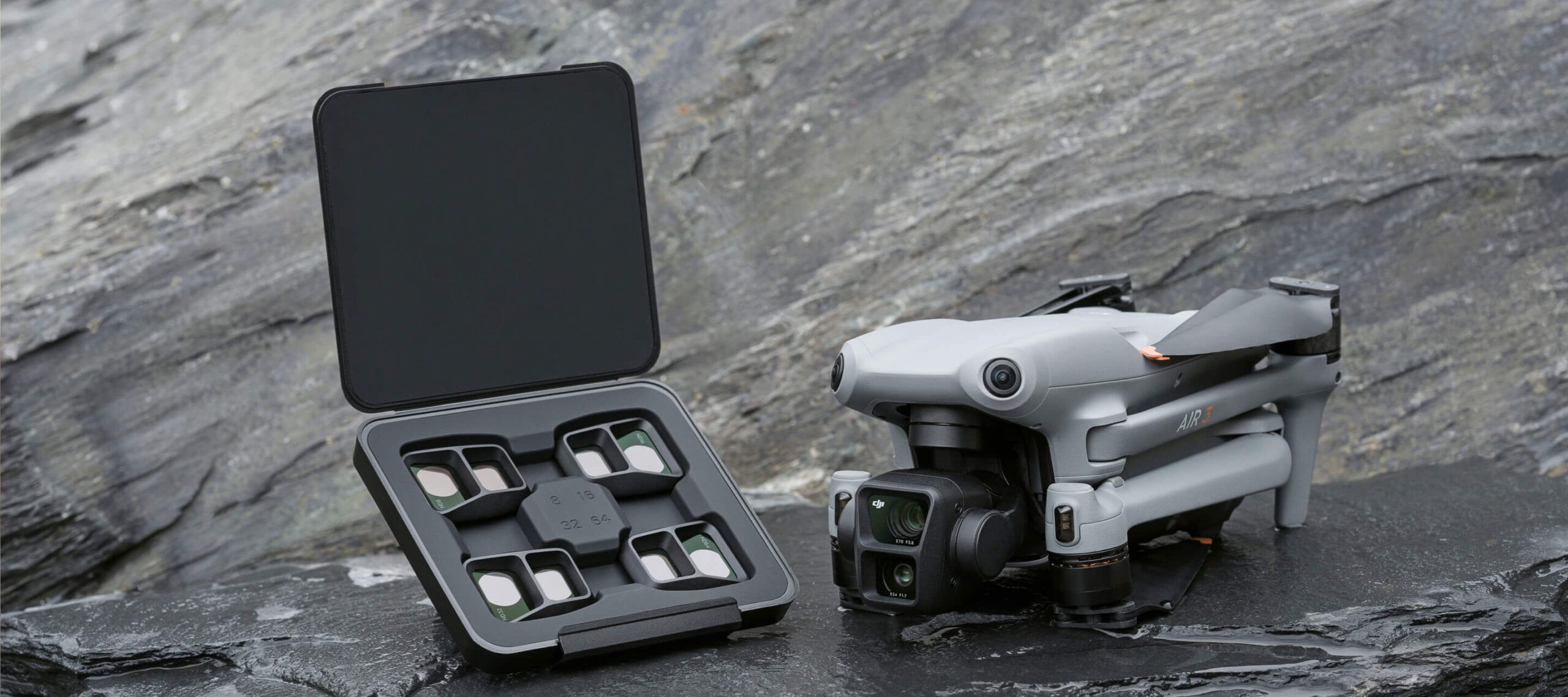
Drones have revolutionized the way we capture the world from above, offering breathtaking perspectives that were once the exclusive domain of helicopters and planes. As drone technology becomes more accessible, the art of aerial videography is rapidly evolving. Whether you’re a hobbyist or an aspiring professional, understanding the essentials of drone videography can help you capture stunning shots that captivate your audience. This article delves into essential tips and techniques that can elevate your drone videography to new heights.
Understanding Your Drone
Before you take flight, it’s crucial to familiarize yourself with your drone. Each model has unique features, settings, and limitations. Spend time reading the manual, watching tutorials, and practicing with your drone in a safe, open space. Understanding the capabilities of your drone will allow you to maximize its potential and mitigate any risks during filming.
Plan Your Shot
Successful videography is often about foresight and planning. Before flying your drone, scout the location either in person or using satellite imagery to identify potential subjects and obstacles. Consider the time of day, as lighting will significantly impact the quality of your footage. Golden hours—shortly after sunrise and before sunset—are ideal for capturing dramatic and visually appealing shots with soft, warm light and long shadows.
Storyboard Your Shots
Creating a storyboard or shot list can help you visualize your final video and ensure a cohesive narrative. Outline the sequence of shots you need to capture, including wide shots, medium shots, and close-ups. A well-thought-out plan will enhance the storytelling aspect of your video and minimize unnecessary flying time, preserving battery life and reducing wear on your equipment.
Mastering Camera Settings
To achieve the best possible footage, familiarize yourself with your drone’s camera settings. Most drones offer options to adjust resolution, frame rate, and exposure. Shooting in 4K resolution provides the highest level of detail, which is especially beneficial if you plan to edit or crop your footage later. However, ensure your storage capacity can accommodate the larger file sizes.
Frame Rate Considerations
Choose your frame rate based on the desired outcome of your video. A standard frame rate of 24 frames per second (fps) offers a cinematic look, while 30 fps is common for broadcast television. For slow-motion effects, consider shooting at 60 fps or higher, enabling smooth playback when slowed down in post-production.
Adjusting Exposure and White Balance
Proper exposure is key to high-quality footage. Use the drone’s histogram and exposure compensation features to ensure your shots are neither too dark nor overexposed. Additionally, set your white balance manually to match the lighting conditions. Auto white balance can fluctuate during a shoot, leading to inconsistent colors in your footage.
Achieving Smooth and Stable Footage
Smooth, stable footage is essential for professional-quality drone videography. Drones equipped with gimbals and stabilization technology help reduce shakiness, but pilot skill is also a critical factor.
Use Cinematic Flight Modes
Most drones come with built-in flight modes designed for videography, such as “Cinematic Mode” or “Tripod Mode.” These modes slow the drone’s movements, allowing for smoother, more controlled shots. Utilize these modes when capturing intricate or delicate scenes.
Practice Slow and Steady Movements
Sudden movements or changes in speed can result in jarring footage. Practice flying your drone smoothly and steadily, focusing on subtle joystick adjustments. Patience and precision are key to capturing cinematic shots that flow seamlessly.
Incorporating Dynamic Shots
While stable shots are foundational, dynamic shots can add excitement and interest to your video. Experiment with different angles and movements to create visually engaging footage.
Reveal Shots
Start with your camera focused on a close-up detail, then slowly reveal the larger scene by flying the drone backward or upward. This technique builds anticipation and provides context to your audience.
Tracking Shots
Follow a moving subject, such as a person, vehicle, or animal, to create dynamic tracking shots. Ensure your drone maintains a safe distance and altitude while keeping the subject centered in the frame.
Orbit Shots
Orbit shots involve flying the drone in a circular path around a subject, creating a 360-degree view. This technique is particularly effective for highlighting landmarks or showcasing a subject in its environment.
Safety and Legal Considerations
Safety and legal compliance are paramount in drone videography. Always prioritize the well-being of people, wildlife, and property when planning and executing your shots.
Check Local Regulations
Drone laws vary by location, and it is essential to research and adhere to local regulations. This may include restrictions on flight altitude, distance from airports, and areas where drones are prohibited. Obtain any necessary permits or licenses before flying.
Pre-Flight Safety Checks
Conduct a thorough pre-flight check, ensuring your drone is in good working condition. Inspect the propellers, battery, and camera for any damage or wear. Verify that your GPS and remote control signals are strong and stable.
Respect Privacy and Wildlife
Be mindful of privacy concerns and avoid filming individuals without their consent. Additionally, maintain a respectful distance from wildlife to prevent disturbance or harm.
Post-Production Tips
Editing is where your footage comes to life, transforming raw clips into a polished video. Utilize video editing software to enhance your shots and create a compelling narrative.
Color Grading
Enhance the visual appeal of your footage with color grading. Adjust the contrast, saturation, and color balance to achieve your desired look, whether it’s a natural representation or a stylized aesthetic.
Stabilization and Trimming
Even with careful piloting, some footage may benefit from additional stabilization in post-production. Use stabilization software to smooth out any remaining jitters. Additionally, trim your clips to remove unwanted sections and maintain a concise, engaging video.
Incorporate Music and Sound Effects
Audio plays a crucial role in the emotional impact of your video. Choose music and sound effects that complement the visuals and enhance the storytelling. Ensure the audio levels are balanced and do not overpower the footage.
Conclusion
Drone videography offers endless possibilities for creativity and storytelling. By understanding your equipment, planning your shots, mastering camera settings, and adhering to safety guidelines, you can capture stunning aerial footage that resonates with your audience. With practice and dedication, your drone videos will soar to new heights, showcasing the world from a unique and captivating perspective.
Share this content:


Post Comment